
A perspective piece from The Listening Market
There was a time when working from home felt like a temporary arrangement, a brief departure from the familiar rhythm of office life. That time has passed. For millions of people across the world, the home has become the office, the studio, the meeting room, and the break room all rolled into one. And yet, many are still working from the same kitchen table they started on years ago, wondering why their back aches and their focus drifts by mid-afternoon.
A productive work-from-home setup is not about buying the most expensive chair or filling a room with gadgets. It is about creating a space that supports the way a person actually works, thinks, and rests throughout the day. The best setups are thoughtful, not lavish. They account for light, movement, noise, and the simple reality that human bodies were not designed to sit still for eight hours.
Start With the Chair, Not the Desk
It is easy to focus on the desk first. Desks are visible, they look good in photos, and they feel like the centrepiece of a workspace. But the chair is what the body interacts with for hours on end. A poor chair quietly undermines productivity through discomfort, stiffness, and the kind of low-grade distraction that builds over the course of a day.
The chair does not need to be a thousand-dollar ergonomic marvel. It does need to support the lower back, allow the feet to rest flat on the floor or on a footrest, and keep the knees at roughly ninety degrees. Armrests help, but only if they are adjustable and do not force the shoulders up toward the ears. The goal is neutral posture, the kind where the body is supported without being held rigid.
Anyone who has spent a full day working from a dining chair or a sofa knows the cost. The neck tightens. The lower back protests. By late afternoon, the work itself becomes harder not because the tasks are more difficult but because the body is sending constant signals of discomfort. A good chair removes that friction entirely.
Let There Be Light, but the Right Kind
Lighting is one of the most underestimated elements of a home workspace. Poor lighting causes eye strain, headaches, and a subtle sense of fatigue that people often mistake for lack of motivation. Good lighting does the opposite. It signals alertness to the brain, reduces the effort required to focus on a screen, and makes the space feel genuinely pleasant to be in.
Natural light is ideal. Positioning a desk near a window, ideally so that the light comes from the side rather than directly in front of or behind the monitor, reduces glare and creates a connection to the outside world. That connection matters more than people realise. Being able to glance up and see trees, sky, or even a passing cloud provides micro-breaks for the eyes and the mind.
When natural light is not enough, and in the evening it never is, a desk lamp with adjustable brightness and a warm-to-cool colour temperature makes a significant difference. Cool light, around 4000K to 5000K, is better for focus during work hours. Warm light, around 2700K to 3000K, helps signal to the brain that the workday is winding down. Avoid working in a dark room with only the screen glowing. It is harsh on the eyes and unhelpful for mood.
The Screen Should Be at Eye Level
This is the single most common mistake in home workspaces. A laptop sitting flat on a desk puts the screen well below eye level, which means the head tilts forward and the neck takes the strain. Over weeks and months, this forward head posture contributes to tension headaches, upper back pain, and a general sense of physical weariness.
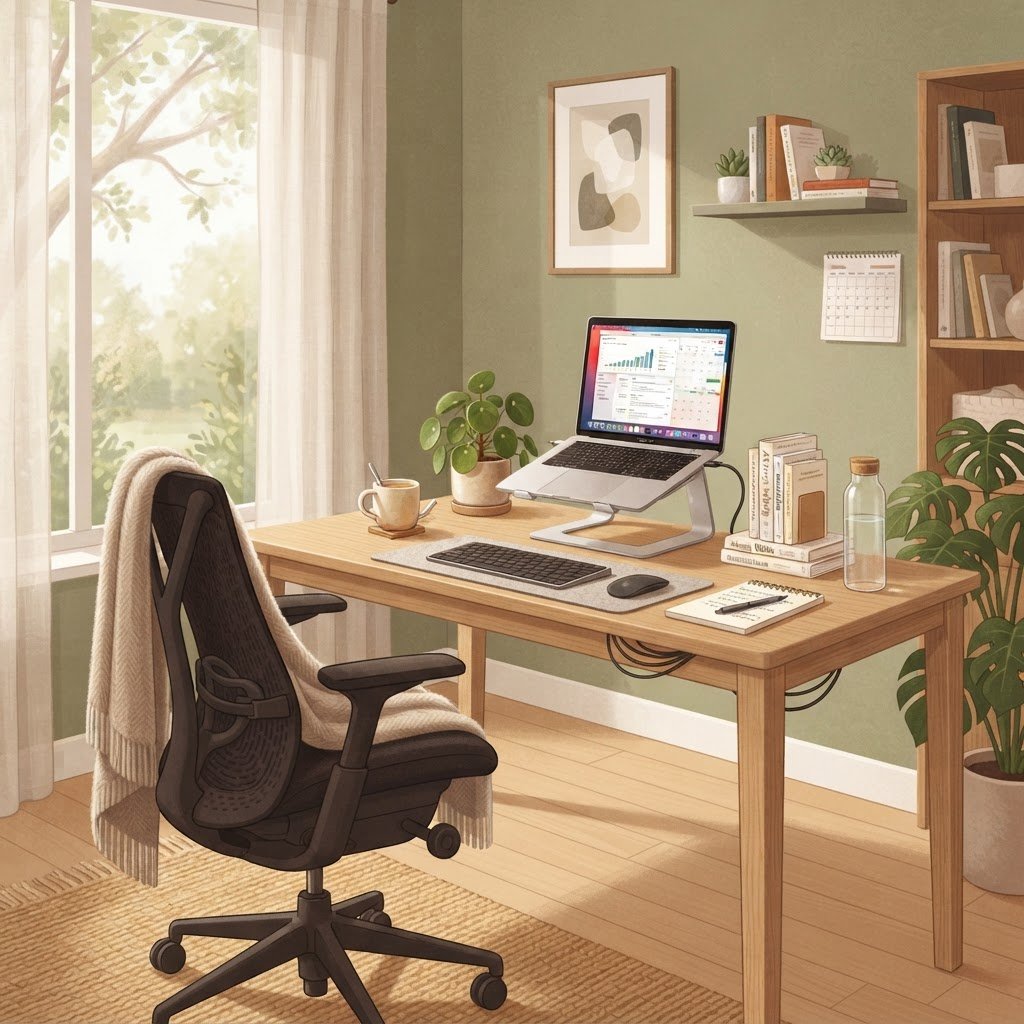
The fix is simple and inexpensive. A laptop stand, or even a stack of sturdy books, raises the screen to eye level. An external keyboard and mouse allow the hands to stay at a comfortable height while the screen sits higher. This arrangement transforms the ergonomics of a workspace for less than the cost of a single restaurant meal.
For those using external monitors, the same principle applies. The top of the screen should be at or slightly below eye level, and the monitor should be roughly an arm’s length away. If the monitor is too close, the eyes work harder. If it is too far, the body leans forward to compensate. Finding the right distance takes a few minutes of adjustment and pays off every single day.
Create a Boundary Between Work and Home
One of the quiet challenges of working from home is that the office never closes. The laptop is always there. The emails keep arriving. The desk is visible from the living room, a constant reminder of unfinished tasks. Without a physical boundary, work expands to fill all available time and space.
This does not require a separate room, though that is ideal if available. It can be as simple as a screen that divides a room, a desk that faces a wall rather than the common living area, or a routine of closing the laptop and putting it out of sight at the end of the day. The brain learns to associate certain spaces and cues with work and others with rest. Protecting that distinction is essential for long-term sustainability.
Some people benefit from a clear start and end ritual. Making a coffee, opening a specific playlist, or writing a short list of priorities for the day can signal to the brain that work is beginning. Closing the laptop, turning off the desk lamp, and walking away from the workspace signals that work is done. These small acts create psychological boundaries that physical space alone sometimes cannot.
Manage Sound, Not Just Silence
Complete silence is not always productive. For some people, total quiet feels oppressive and makes every small distraction, a passing car, a neighbour’s dog, a creaking floorboard, feel amplified. For others, any sound is disruptive. Understanding which type of worker someone is helps shape the soundscape of the workspace.
Noise-cancelling headphones are one of the most impactful investments for a home worker, especially in a shared household or a noisy neighbourhood. They create a personal cone of quiet that allows focus to deepen. Alternatively, background sound such as instrumental music, ambient nature recordings, or white noise can fill the acoustic space and make intermittent sounds less jarring.
The key is intentionality. Choosing what to listen to, rather than letting the environment dictate the soundscape, gives a sense of control that supports concentration. Avoid working with television or podcasts with dialogue in the background. The brain cannot fully ignore speech, and the result is split attention that drains energy faster than either work or listening alone.
Movement Is Part of the Setup
A productive workspace is not just a place to sit. It is a place that encourages healthy movement throughout the day. The human body is not designed to remain stationary for extended periods, and even the best chair cannot compensate for a complete lack of movement.
Building movement into the workday does not require a standing desk, though some people find them valuable. It can be as simple as standing up during phone calls, stretching for two minutes every hour, or taking a short walk at lunch. Some people keep a resistance band or a small mat near their desk for quick stretching sessions between tasks.
The goal is to avoid the trap of sitting in one position for hours, which is the default mode of remote work. Movement improves circulation, reduces stiffness, and has a measurable effect on mental clarity. A five-minute walk can resolve a problem that thirty minutes of staring at a screen could not.
Keep the Space Clean and Personal
A cluttered workspace creates a cluttered mind. This is not just an aesthetic preference. Visual clutter competes for attention, even when people are not consciously aware of it. Every stack of papers, every cable, every random object on a desk is a small drain on focus.
Keeping the workspace clean does not mean it has to be sterile. The best home workspaces have a personal touch. A plant, a piece of art, a photograph, or a small object that brings joy makes the space feel like a place someone wants to be, rather than a place they have to tolerate. The balance is between personality and order.
A few minutes at the end of each day to tidy the desk, put away cups and papers, and reset the space for the next morning has an outsized effect. Walking into a clean, organised workspace the next day starts the morning with a sense of calm and readiness rather than a sense of catching up.
Technology That Reduces Friction
The right technology in a home workspace is technology that disappears into the workflow. A reliable internet connection, a keyboard that feels good to type on, and a mouse that tracks smoothly are the foundations. When these things work well, they go unnoticed. When they do not, they become a constant source of low-level frustration.
A second monitor, or a large external display, is one of the most effective productivity upgrades for anyone who works across multiple documents, tabs, or applications. The ability to reference material on one screen while working on another reduces the cognitive load of switching between windows and context-shifting throughout the day.
Cable management is a small detail with a large visual impact. Simple solutions like cable clips, a sleeve, or routing cables behind the desk keep the workspace looking intentional rather than chaotic. This is not about perfection. It is about reducing the number of small annoyances that accumulate over a workday.
The Setup Is Never Finished
A work-from-home setup is not a one-time project. It evolves as needs change, as new tools become available, and as the person working in it learns more about their own habits and preferences. The best approach is to start with the fundamentals, a good chair, proper screen height, decent lighting, and a clean surface, and then refine over time.
Pay attention to what causes discomfort, distraction, or friction. Those are the signals that something in the setup needs to change. Maybe the lighting is too harsh in the afternoon. Maybe the chair needs a cushion. Maybe the desk is too close to the kitchen and the smell of lunch disrupts focus. Each adjustment, however small, makes the space better suited to the work being done in it.
Working from home well is a skill, and the physical space is a big part of that skill. A thoughtful setup does not just make work easier. It makes the day more pleasant, the body more comfortable, and the boundary between work and life more sustainable. That is worth the effort, and it does not require a budget that would impress anyone.